LCRM - Lead Tracking System
A service business had a lead management system run by its marketing agency and a separate customer CRM run in-house, so channel attribution was lost between them, no-shows went untracked and data was entered twice. Cosmo Californie Media built one lead tracking system in Google Sheets, fed automatically by call tracking, form tracking, scripts and Zapier, with six checkpoints from raw lead to procedure start. Staff update a single Status column, and the business reached 99% lead attribution throughout the customer lifetime.
- Client
- Appointment-based service business (not named)
- Industry
- Healthcare and service businesses
- Services
- Lead tracking system, attribution, KPI reporting
- Period
- 6 months
- Tools
- Google Sheets, call tracking, form tracking, Zapier
Challenges / Opportunities
When it comes to running a business, one of the hardest things to create is a uniform lead/client/customer management interface. If you own or work for a business producing anywhere over $100k+ in revenue each year, it is an essential tool for understanding how customers find your business and how you can continue growing.
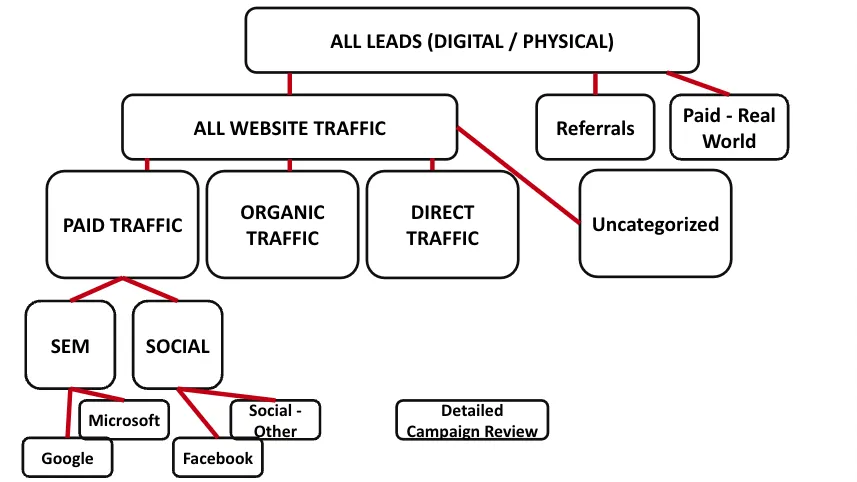
The Problem
It is becoming more and more common that a lead (only) management system exists in a business, and is typically run by a marketing department or agency. This system attributes leads to different marketing channels and produces KPIs like cost/lead and cost/customer. Sometimes it can provide information on return on ad spend (ROAS), but it is typically limited to the first product purchase (ecom) and this data point is rarely achieved for B2B and service based businesses. First purchase, “discovery call” or “consultation” scheduled are where these systems typically stop.
It is also common that a customer (only) management system exists, siloed and separate from the lead management system and typically are run by a sales department, business owner, or sometimes a finance team. This system provides information on customer lifetime value (CLV), may have automated email campaigns that can be triggered from it, and deal more with the relationship management of a customer once they become a customer.
The problem that arises from having both of these systems is the loss of valuable information between them.
Did you know that canceled and no show 1st appointments are one of the biggest drags on service based businesses? You can see that using in tandem the two systems above creates a gap in attention at exactly this step.
For e-commerce, what marketing channel produces the customers with the highest LTV? Many times source attribution doesn’t get passed into the CRM system.
In the end, the problem is that the following data points don’t talk to each other:
- Channel that Generated the Lead
- Customer Lifetime Value
- Conversion Rate at each point in the Lead → Customer (highest value) journey
- BONUS: Paying for two systems → EXTRA $$ and DOUBLE DATA ENTRY
Work We Did / Lessons Learned
The client we worked with was in the situation I described above. They had a CRM they maintained in house, and then the lead generation system was managed by an outside agency. The two systems did not speak to each other.
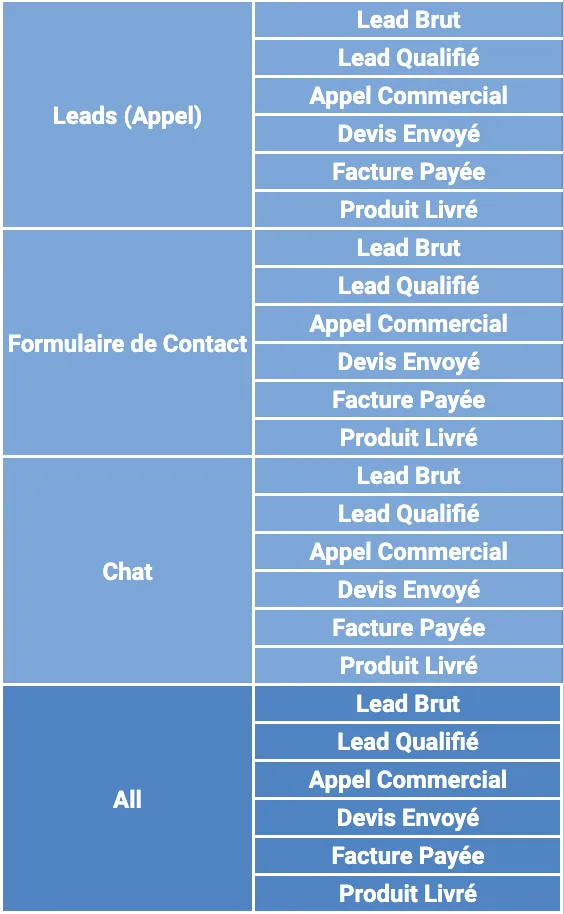
To get started we first defined the lead to customer journey. And it came out to 6 defined checkpoints:
- Raw Lead: This is a lead that is generated by anything. It’s someone that comes in contact with the business via either a form or a phone call.
- True Lead: Of the raw leads generated, a lead that had the correct intent that matched the business product or service.
- Consult: This was a service business, so every customer had to speak with someone over the phone before scheduling an appointment. Consult is anyone that spoke to the business over the phone
- Scheduled: Lead scheduled for 1st appointment / meeting
- Show: Lead showed up for the 1st appointment
- Procedure Start: Procedure started (showed in office a second time, this would be scheduled after the 1st appointment)
For an e-commerce business it would look similar:
- Raw Lead - Lead form, phone call
- True Lead - Abandon cart
- Purchase - Lead purchased product
- LTV Checkpoint I - Defined dollar amount goal to have customer reach and spend at your business
- LTV Checkpoint II - same as above, higher increment
- LTV Checkpoint III - same as above, higher increment
The next step was to define the different lead types. For this business it is:
- Quiz on Website
- Webform on Website
- Phone Calls
- Referrals
For practicality, this system was built on google sheets. Some might scoff at this, because a spreadsheet can be quite simple. However this is exactly what we wanted. Lead management tools are only effective if the business uses them. When it comes to sleek applications, while they look great, they appear very foreign and complicated to new users, and adoption requires a lot of time and training. A spreadsheet is comfortable and something all business staff members in this day in age can navigate and use effectively with minimal training.
With the power of call tracking, form tracking, some scripts, and tools like Zapier we are able to populate every lead automatically onto the spreadsheet. The staff has only 1 column they need to update - and that happens when they speak to the lead on the phone - “Status”, which is a drop down of various situations a lead could be in. Throughout the rest of the leads’ journey automations update the status on its own.
Results & Lasting Benefits
We were able to implement this sheet for this client and they loved it. It was easy to use and the decision makers at the company received advanced insights for each step in the customer funnel. In the end they could ask the right questions and make highly informed and tactical decisions about their business.
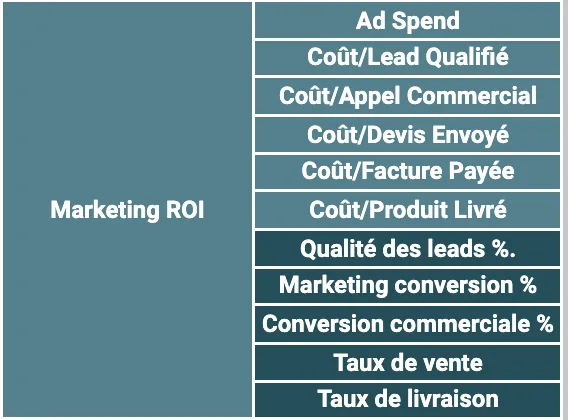
- Lead quality % - Answers questions like: How good were the leads the marketing agency were generating? Were they higher quality for Google Ads or Facebook? How do they compare to the organic leads generated?
- Marketing conversion % - How well did the front office staff get leads on the phone? They need to call quiz and webform leads. Are they following up with these lead types? How does Tiktok compare to Microsoft Ads?
- Schedule rate - Of the people the staff spoke to on the phone, how many did they schedule? How did our schedule rate compare this month vs last month? What about this time last year?
- Show rate - Similar questions as above. What percentage of people we schedule actually show? Based on this, should we create more 1st appointment slots each day, knowing the percentage of people on average who cancel?
- Cost/show - How much is the business spending to acquire a customer? Is it profitable? What $ is considered profitable at this stage in the customer journey?
- Move forward rate - Same sort of questions
- Cost/Procedure Start - Same question as above. Is this under 15% of the revenue generated by a person at this stage on average? Which channel produces a move forward at the lowest cost? Can we invest more there?
Can you easily ask these questions about your business and go to one place to answer them?
Questions about this case study
Why build a lead tracking system in Google Sheets?
Because a tracking tool only works if the staff use it. Sleek applications look great and feel foreign to new users, and adoption takes training. A spreadsheet is something every staff member can already navigate. The automation sits underneath it, so every lead lands on the sheet by itself and the staff touch one column.
What are the six checkpoints?
Raw lead (a form or a call), true lead (right intent for the product or service), consult (spoke to the business on the phone), scheduled (first appointment booked), show (turned up), and procedure start (came back for the procedure). An e-commerce version replaces the later steps with purchase and three lifetime-value checkpoints.
Which KPIs does the system answer?
Lead quality percentage, marketing conversion percentage, schedule rate, show rate, cost per show, move-forward rate and cost per procedure start, each by channel and lead type (quiz, web form, phone call, referral). The business can ask, for example, whether Google Ads or Facebook leads are higher quality, how this month's schedule rate compares with last year, and whether cost per procedure start stays under 15% of the revenue it produces.
What is the problem with having a lead system and a CRM that do not talk?
The channel that generated the lead, the customer's lifetime value and the conversion rate at each step live in different places, so no one can say which channel produces the best customers. Cancelled and no-show first appointments, one of the biggest drags on a service business, fall into the gap between the two systems, and the business pays for two tools and enters data twice.
Working with us.
Let's figure out where your growth is getting stuck.
Book a discovery call with Sonny — a focused conversation about your business and where the opportunities are.
Book a Discovery CallMore case studies
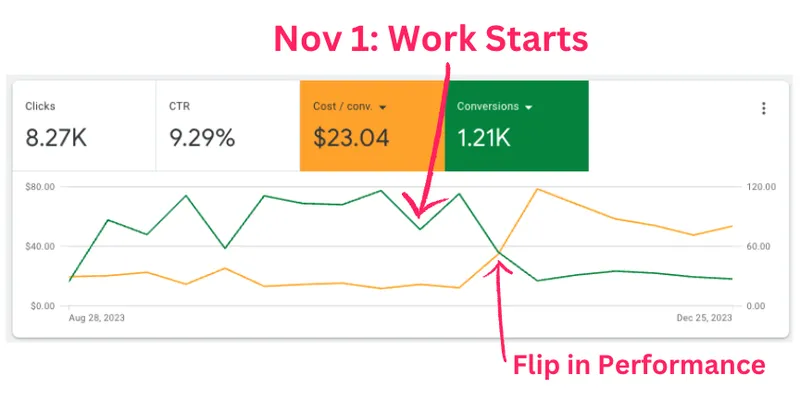
Google Ads Account Overhaul
$54,000–$72,000 in revenue on $9,413 of ad spend for a medical clinic, after we cleaned up inflated conversion data.

Zap and Make Automation Scenario Maintenance
Campaigns launch 12 days faster after we audited and standardised the Zapier and Make scenarios behind a marketing agency's client work.
Webinar Drops + Evergreen Automation Infrastructure
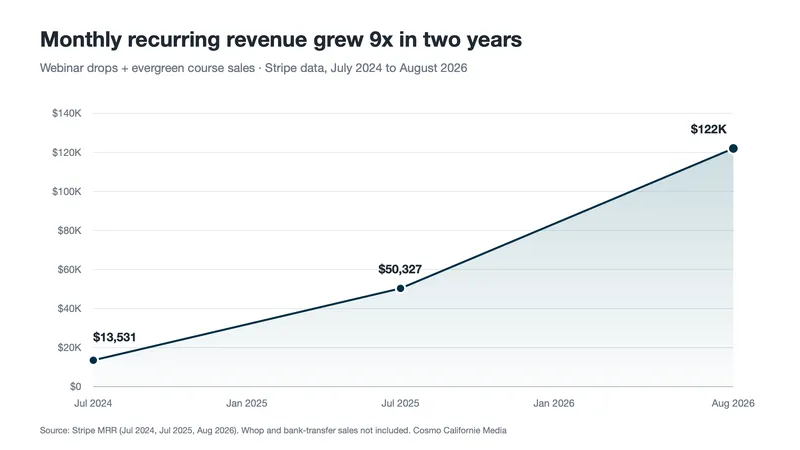
MRR grew from $13,531 in July 2024 to $122K in August 2026 for an online education business running quarterly webinar launches on nearly 30 tools.